Create alert
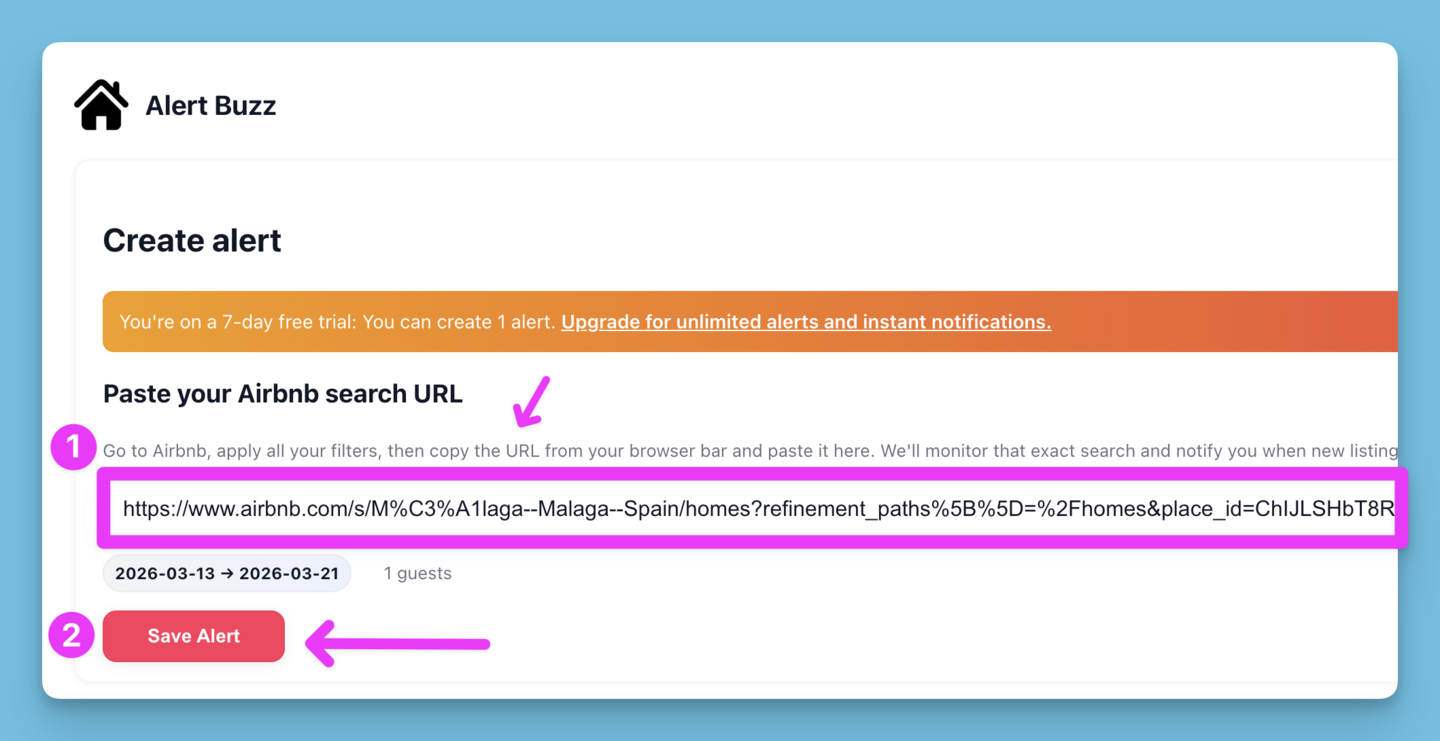
Paste your Airbnb search URL
Go to Airbnb, apply all your filters, then copy the URL from your browser bar and paste it here. We'll monitor that exact search and notify you when new listings appear.
Your Plan
Your alerts
Listings
Your search alert has been set! 🙌
We'll email you daily at 11am EST only if there are newly available listings (e.g. cancellations, price drops, or new listings).
Want instant alerts when listings become available throughout the day, so you can book before others?
Upgrade to add more searches
Free users can only create 1 active search alert. Upgrade to a paid plan to track multiple searches.
Confirm alert currency
Choose the currency to use for price drop alerts.
Your saved search
This is the exact Airbnb search URL you provided. You can open it or copy the link.
How to Set a Search Alert
-
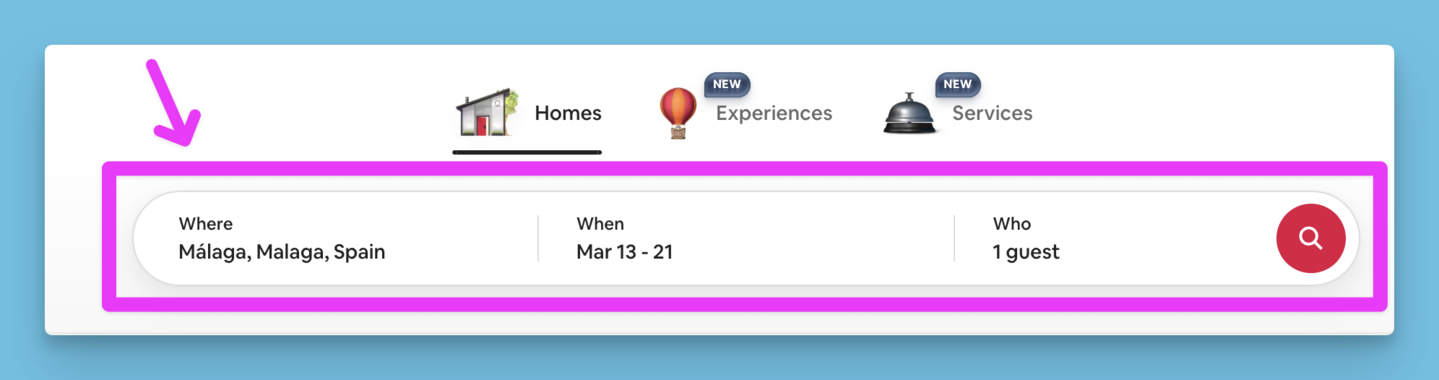
Go to Airbnb and run a search
Visit Airbnb, log into your account, and perform a normal search for the destination and dates you are interested in.
-
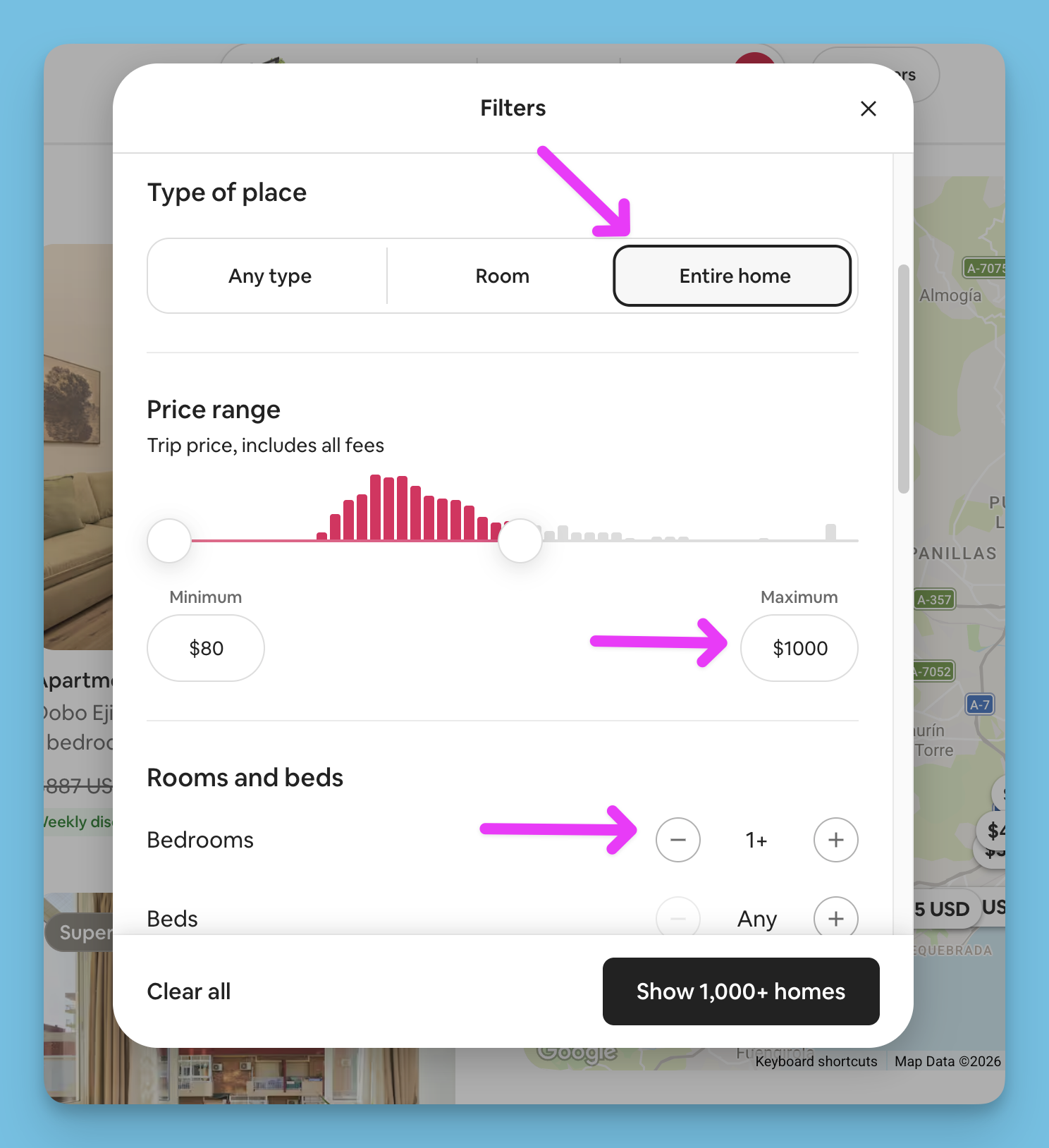
Apply your preferred filters
On the search results page, apply the filters you want included in your alert (dates, price range, guests, property type, and amenities).
-
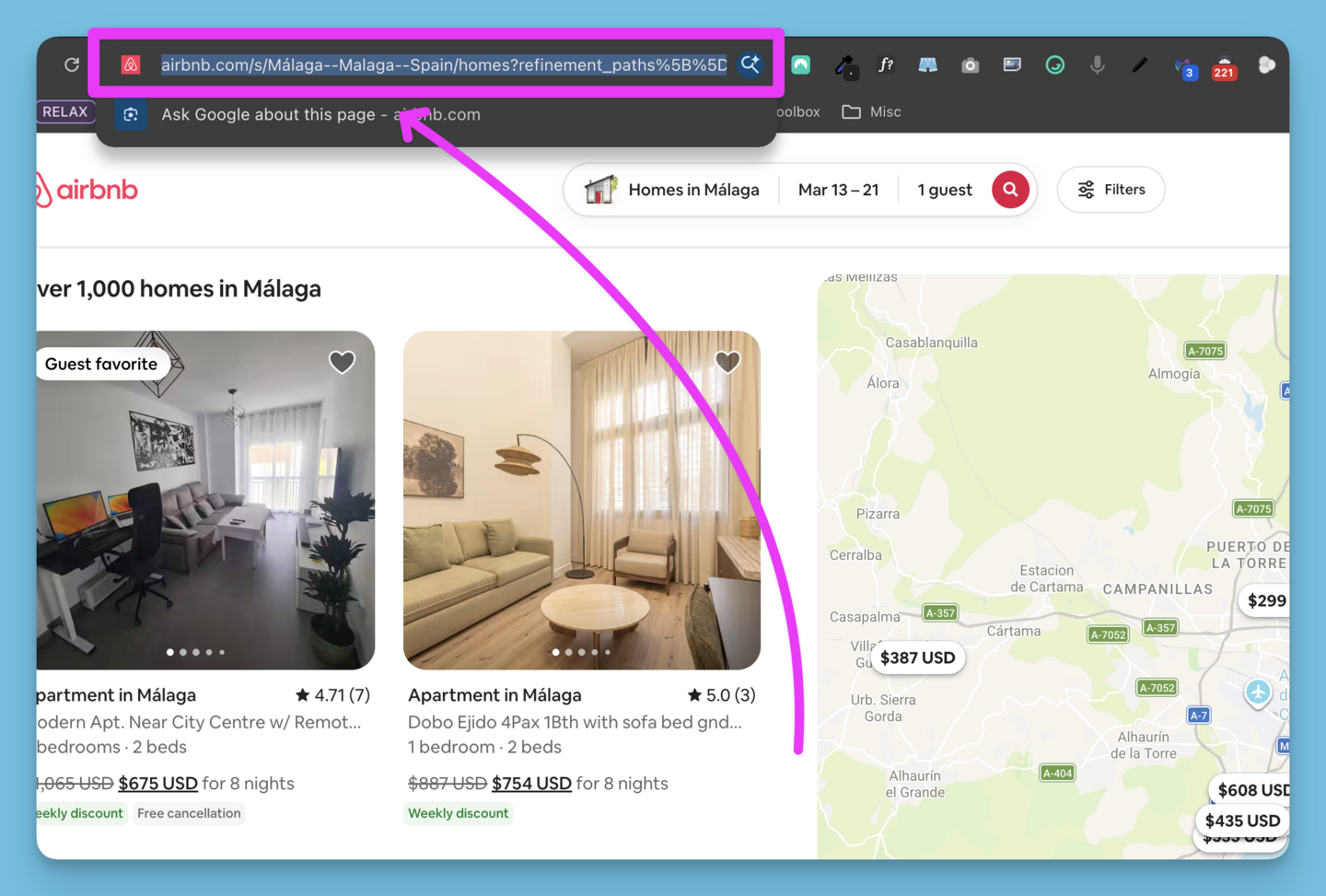
Copy the search URL from Airbnb
Once your filters are set, copy the full URL from your browser address bar.
-
Paste the URL in Alert Buzz and save
Paste the URL into the field above and click Save Alert. You’ll receive email notifications when matches are detected.
Get paid to help your friends save on Airbnb
Share Alert Buzz with your friends and family and earn 50% recurring commission for each person who signs up as a big thank you from us!